Action Bar
A bar that stays out of the way, until you need it.
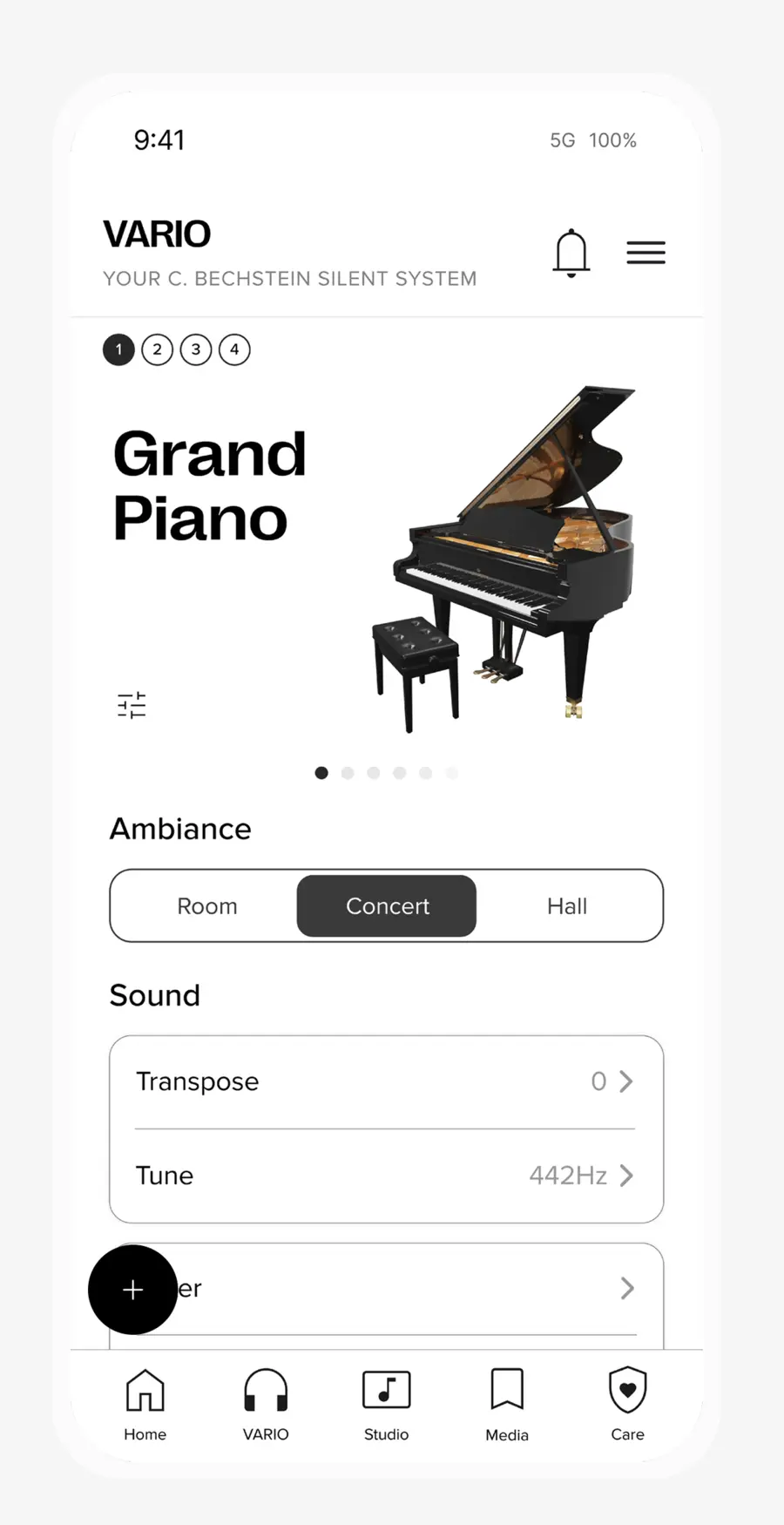
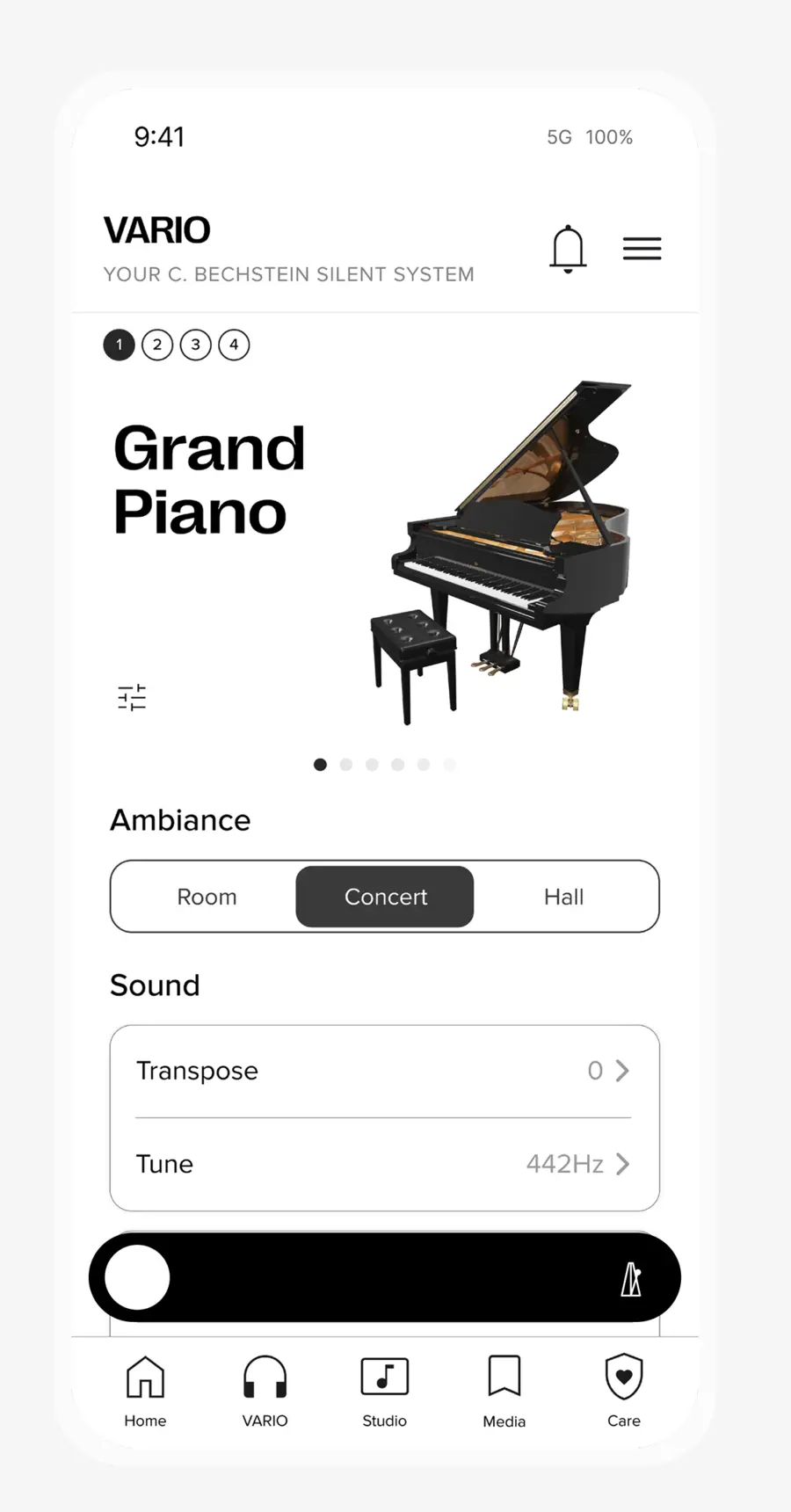
Overview
In the C. Bechstein app, the action bar sat on top of the bottom menu and covered the screen underneath. I made it collapsible, and designed the small interactions that make it easy to use.
The old action bar was stacked on top of the bottom menu. It covered the content underneath and took up a lot of room. I proposed that it collapse into one small button and open into the full bar when you need it. Then I studied similar patterns and defined the small interactions that go with it.
My role
Research and interaction design.
- Context
- The C. Bechstein app. A study that became part of the new product line.
- Tools
- Figma and Figma Motion
- Status
- Accepted by the team and part of the new product line
The bar opens from a single round button, then moves through recording and playback. Designed in Figma and Figma Motion.
Key decision
Collapsed, but never gone.
When the bar is closed, a small round button stays on screen. The actions are still one tap away, and the content below gets its space back.
Two bars at the bottom left little room for the screen.
The action bar hid part of what was underneath it and used up a lot of space on a small screen.
The actions in it still mattered, so the bar couldn’t simply go. It had to be there when you want it, and out of the way when you don’t.
Let the bar collapse.
My idea was a bar that collapses into a small round button and opens again with a tap.
Before drawing it, I looked at similar patterns in other products. I wanted it to behave like something people already know, so it needs no explaining.
The small moments, defined one by one.
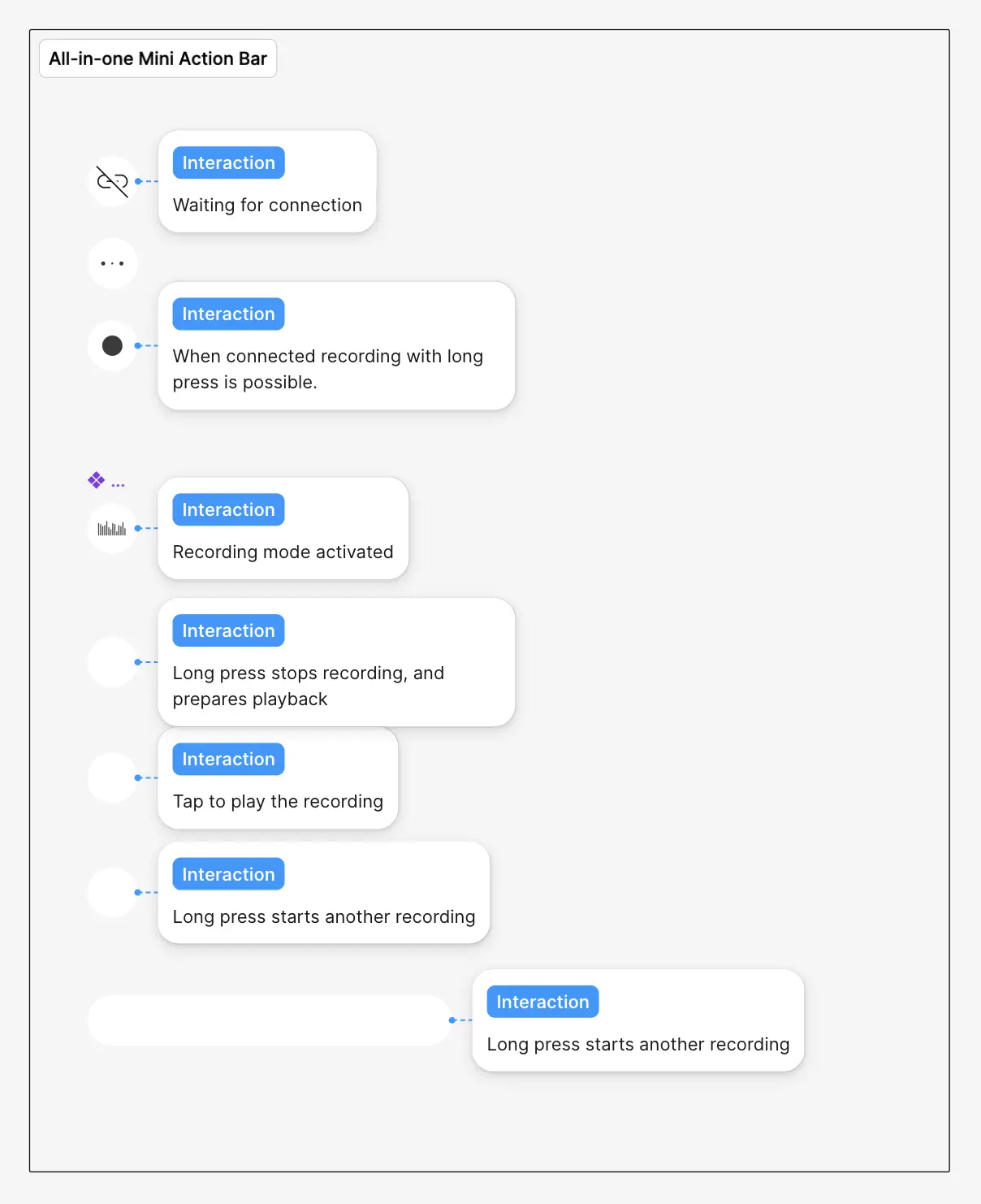
Collapsing a bar is the easy part. The details make it feel right, so I defined a set of micro interactions: how the button opens into the full bar, and how it changes while you record and play back.
The all-in-one version is a single button. It shows a broken link while it waits for a connection. Once connected, a long press starts a recording, and a waveform shows that it is running. A long press again stops the recording and prepares playback, a tap plays it, and a long press starts another take.
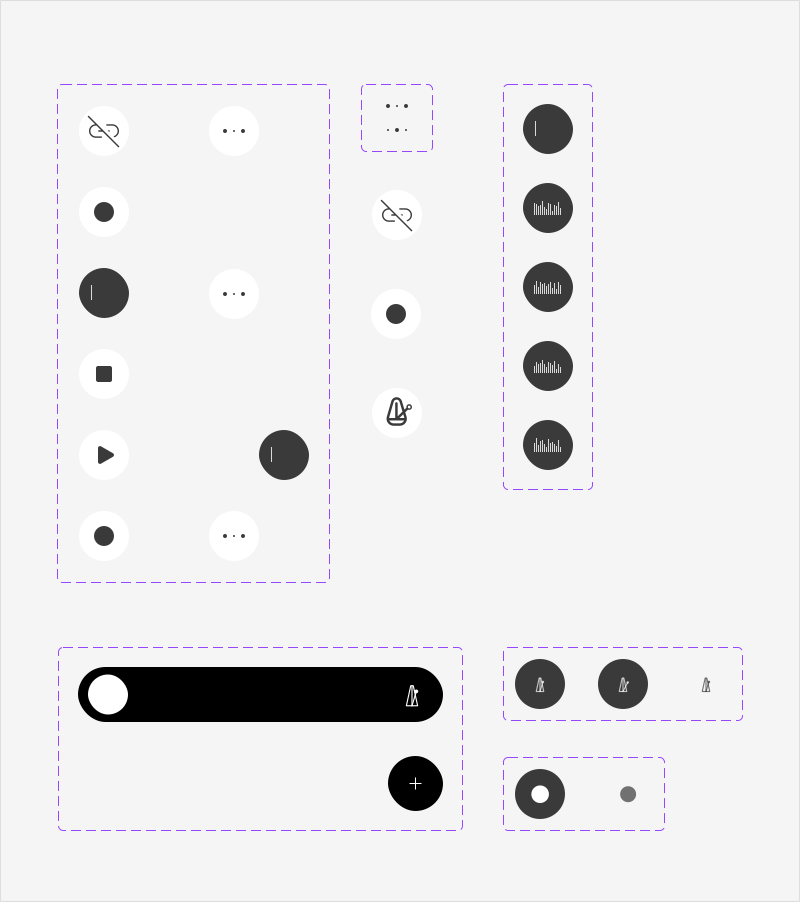
Every state on one sheet.
I collected all the states on one component sheet in Figma: connection, record, stop, play, the waveform while recording, and the metronome.
Accepted by the team. It became part of the new line of the product.